What You Can Do with a Laptop: A Client Success Story from BridgingApps
Courtney Tuft is a BridgingApps client with CHARGE syndrome, a genetic disability that causes limited vision and ear-shape difference, among other symptoms. The following story was written from information provided by Courtney and by Tara Rocha, BridgingApps, Digitial Learning Specialist.
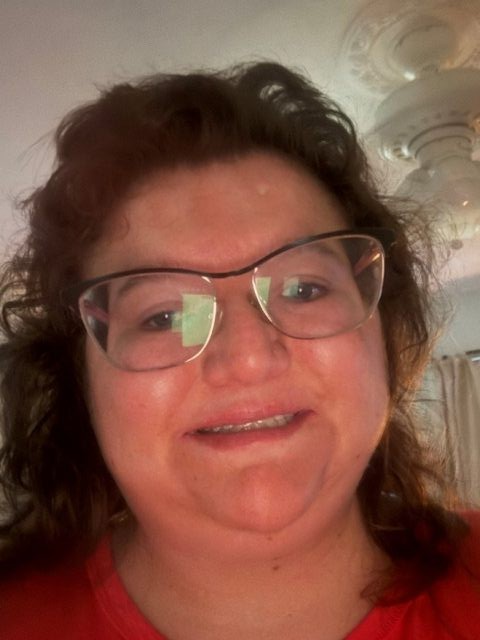
Courtney was one of the earliest clients to get a free laptop through BridgingApps’ Compudopt-supported digital literacy training, in late 2025. Her journey started at the 2025 Houston Abilities Expo, when staff at the Easter Seals Greater Houston booth asked her, “Do you need a laptop?” She filled out a form, got a call two weeks later, and was off and running. Now she proudly refers her friends with disabilities and encourages them to wait for new grants so they can get laptops too.
A Phone Can’t Do Everything
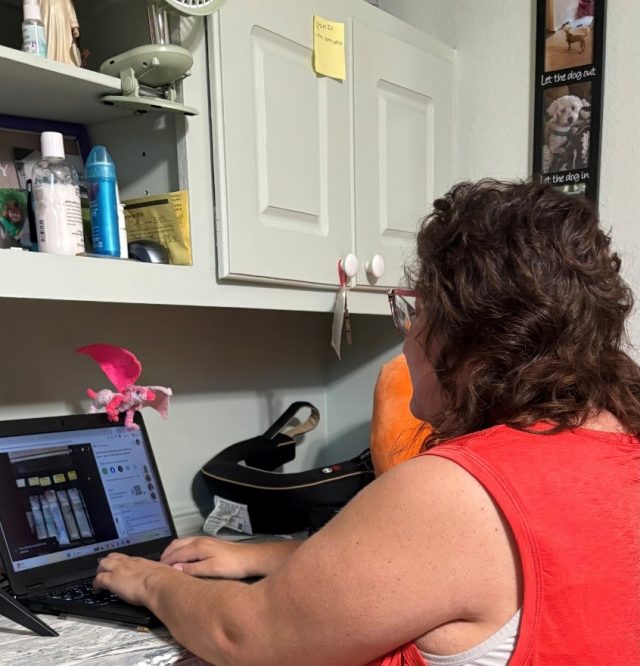
Laptops would generally not ever fit into the budget of most ESGH’s clients but can be a huge benefit to many BridgingApps clients—even those who already have smartphones. Courtney quickly found that the laptop let her do much more than her phone could, especially since her vision is limited even with glasses. She’s “found out that it is hard to read very small print anymore,” so the laptop’s large screen and large-print keyboard are much appreciated. “It’s very enjoyable,” says Courtney, “a saving grace” for daily life.
What does she use the laptop for? Many things, but particularly for personal independence and giving back to others.
- Detailed internet research on her disabilities
- Managing her own health and insurance accounts (“keeps the benefits set in stone each year”)
- Virtual connections on Teams
- Self-advocacy
- Typing documents for her mom (“I’m her personal secretary”)
- Community volunteer work
- Exploring new tech tips and community resources
“I’m always diving into the internet to find out what’s the next step,” she says, “using all the resources available.”
What’s Next?
Next, she wants to learn Microsoft Excel; find out how to use Microsoft Word’s advanced features; and explore Northstar’s digital-literacy modules. Some bigger goals:
- Choose a higher‑education option.
- Master disability-related financial topics like SSI and ABLE accounts, which not only she but the rest of her family have always found confusing.
Courtney continues to stay in touch with BridgingApps, for follow‑up support and new resources.
P.S. A Note on Choosing Your Best Technology
Even the most popular assistive technologies aren’t for everyone. Courtney has unusually small ears—“special ears,” as she calls them—and using headphones to listen privately to a device has always been challenging. With most in‑the-ear or bone-conduction headphones, “the parts that go behind or in the ear just pop right off.” Over‑the-ear headphones work best.
If you or a family member find that “standard” assistive technology isn’t for you, there’s always a better option. Easter Seals Greater Houston's BridgingApps Program has free technology labs and trained experts if you need help.
-Katherine Swarts, BridgingApps, Easter Seals Greater Houston